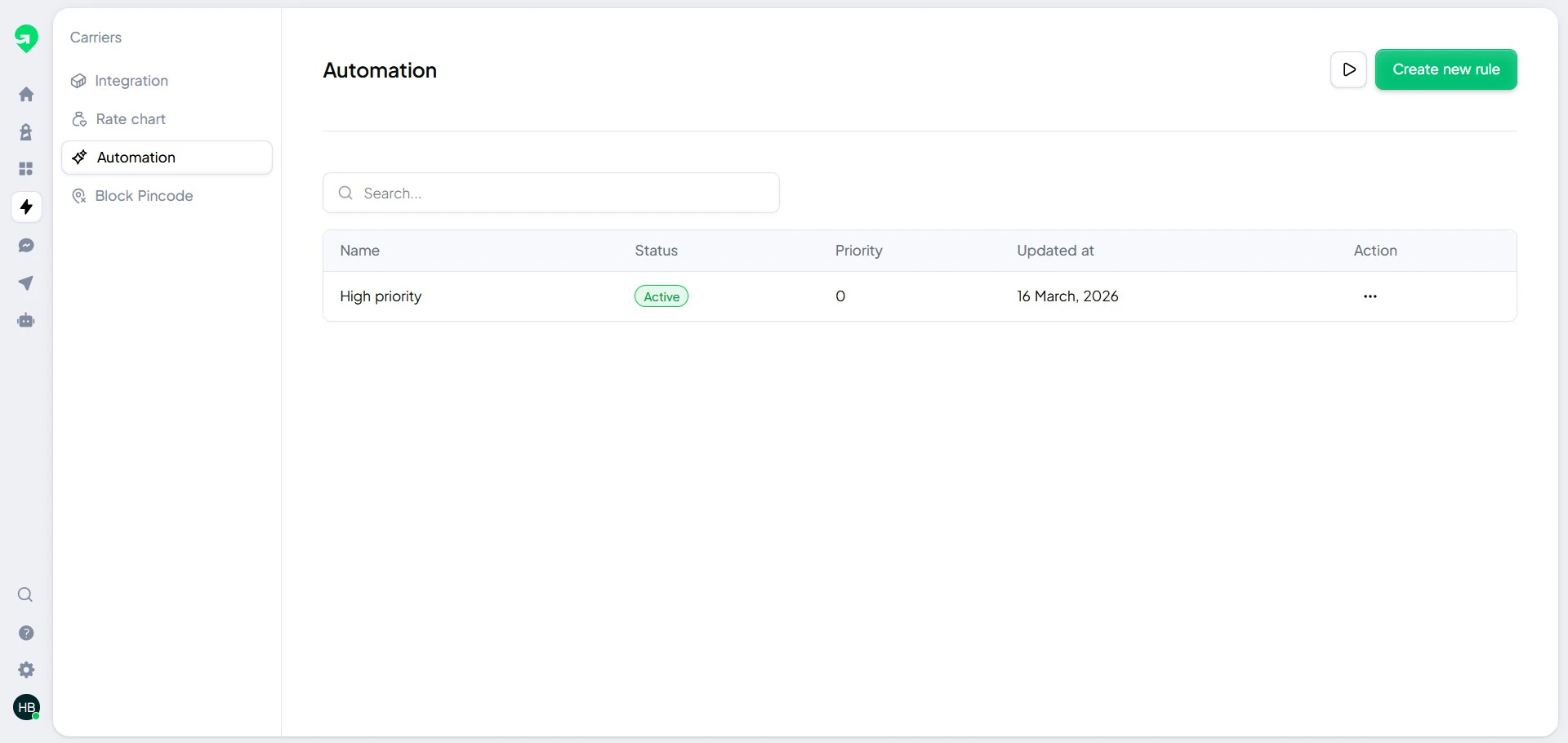
Automations let you run repetitive actions without manual intervention.
Automation overview
Use automation rules for tasks like:
- Retrying failed notifications
- Assigning actions based on delivery attempts
- Triggering escalation for NDR cases
Build your first automation
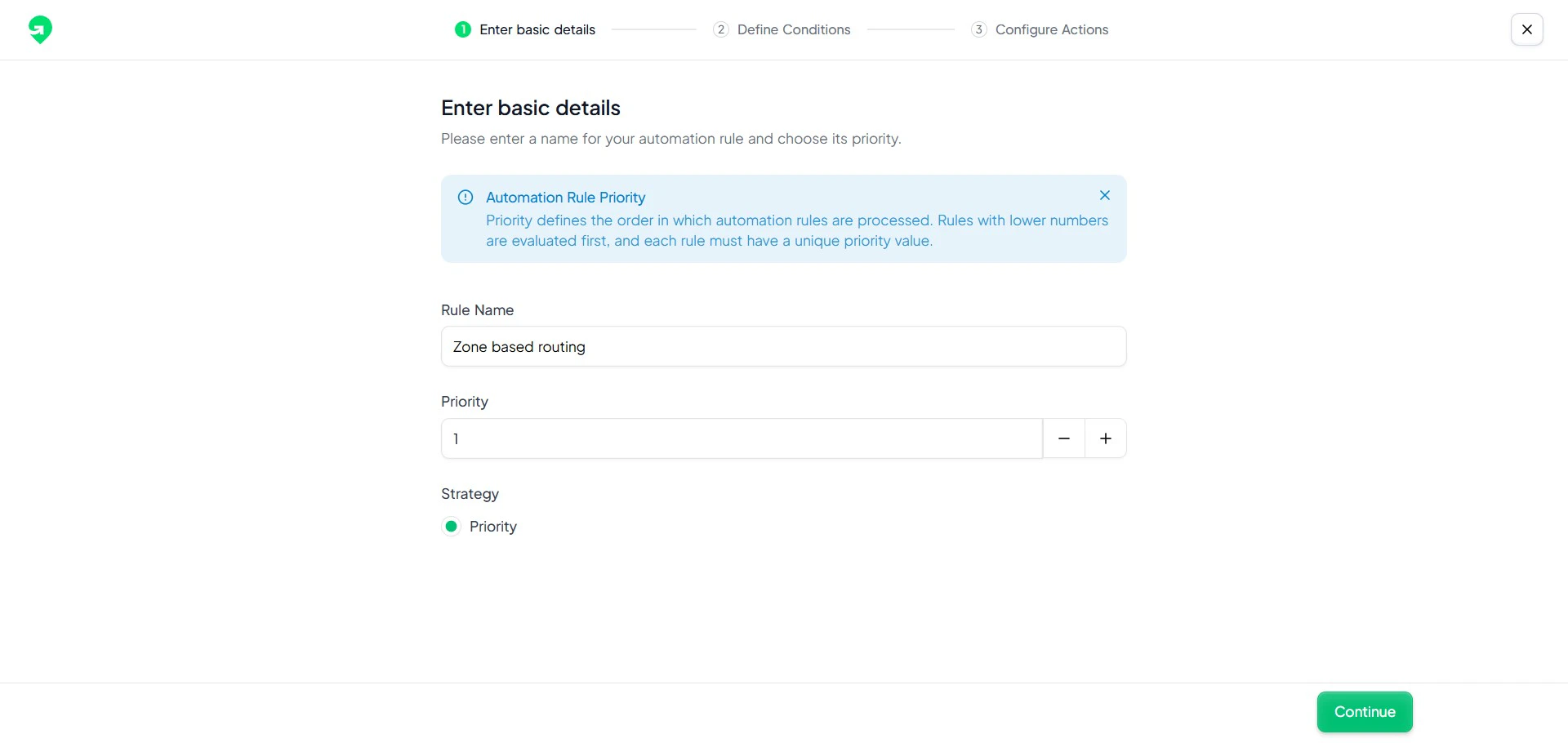
- Define a clear goal for the rule.
- Select an event trigger.
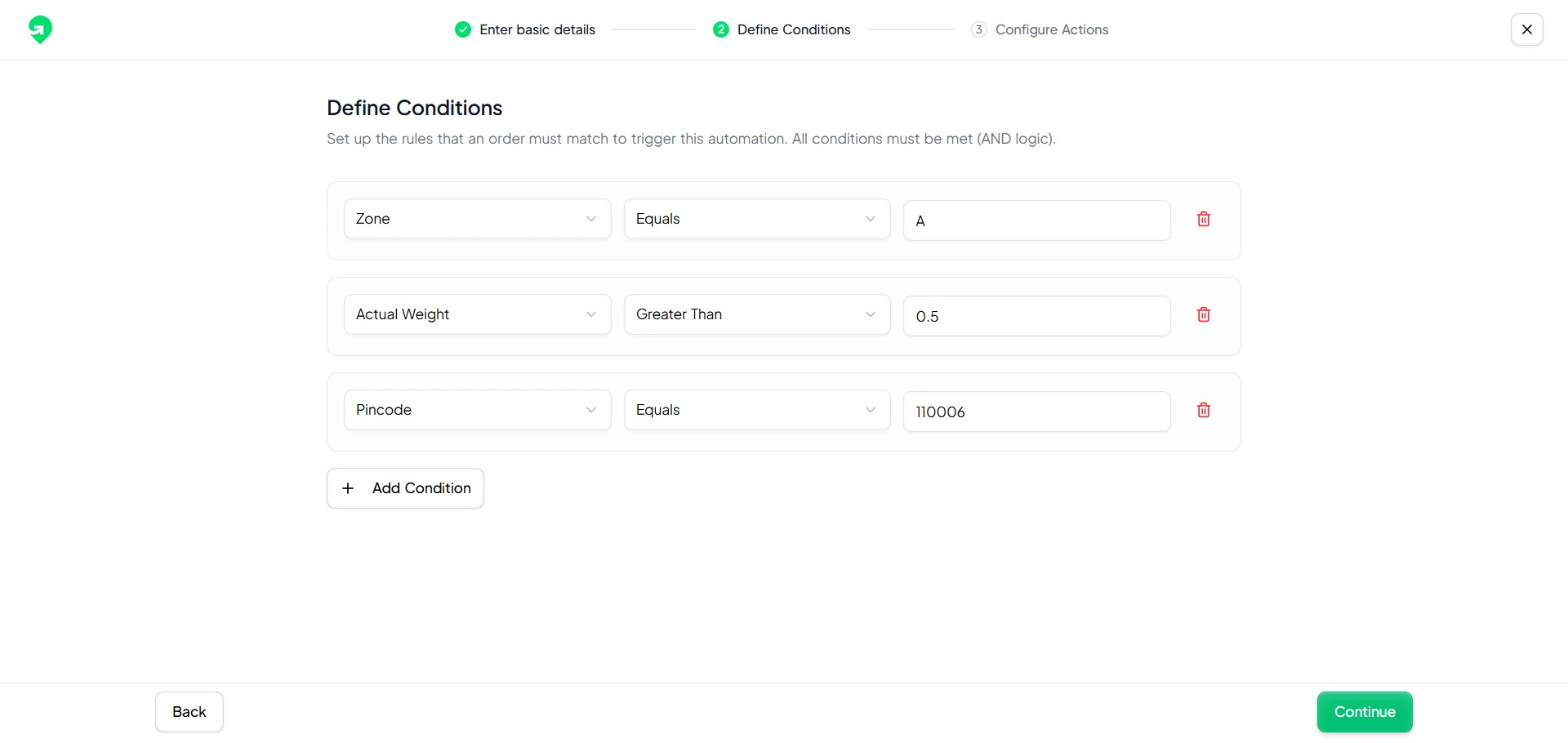
- Add conditions to filter relevant orders.
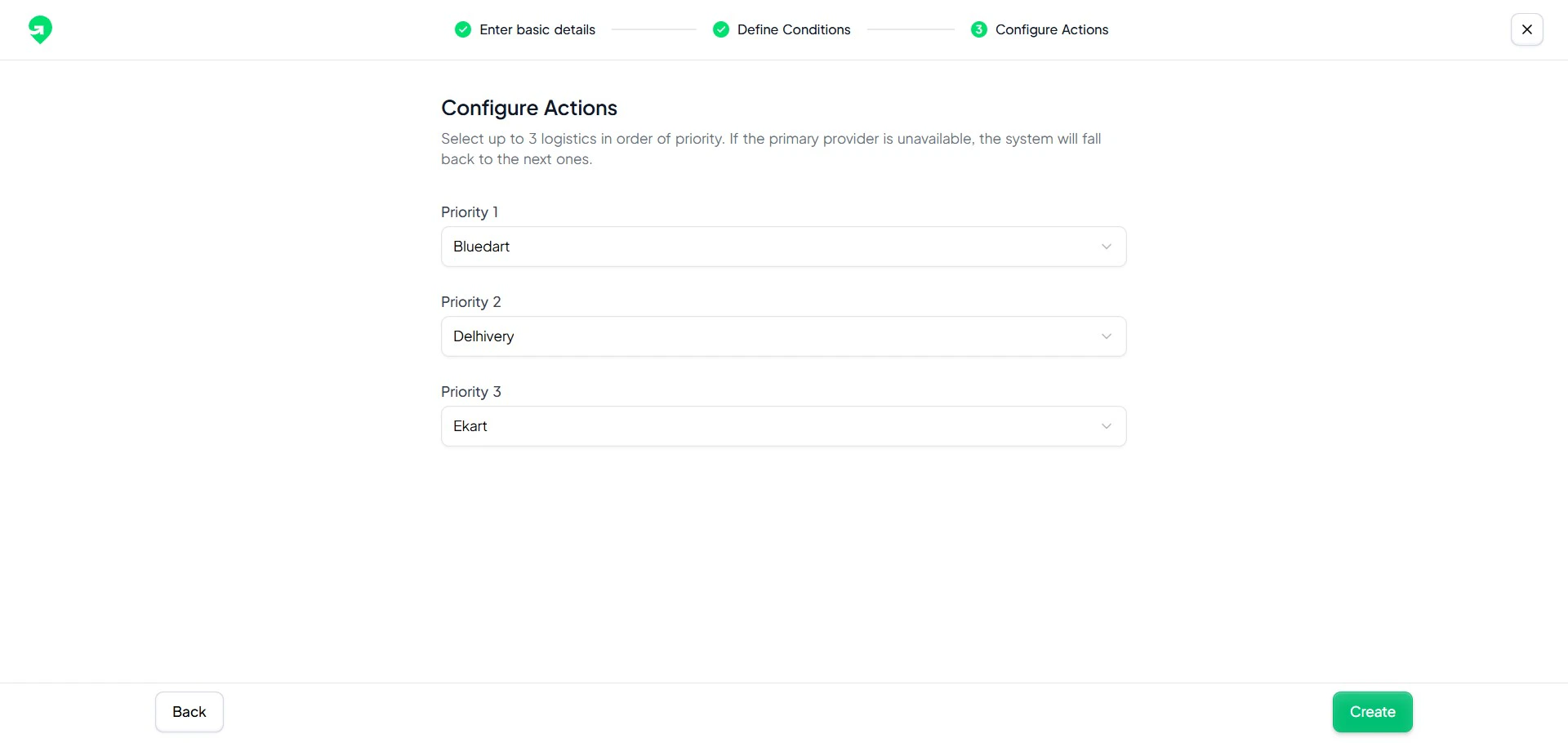
- Add one or more actions.
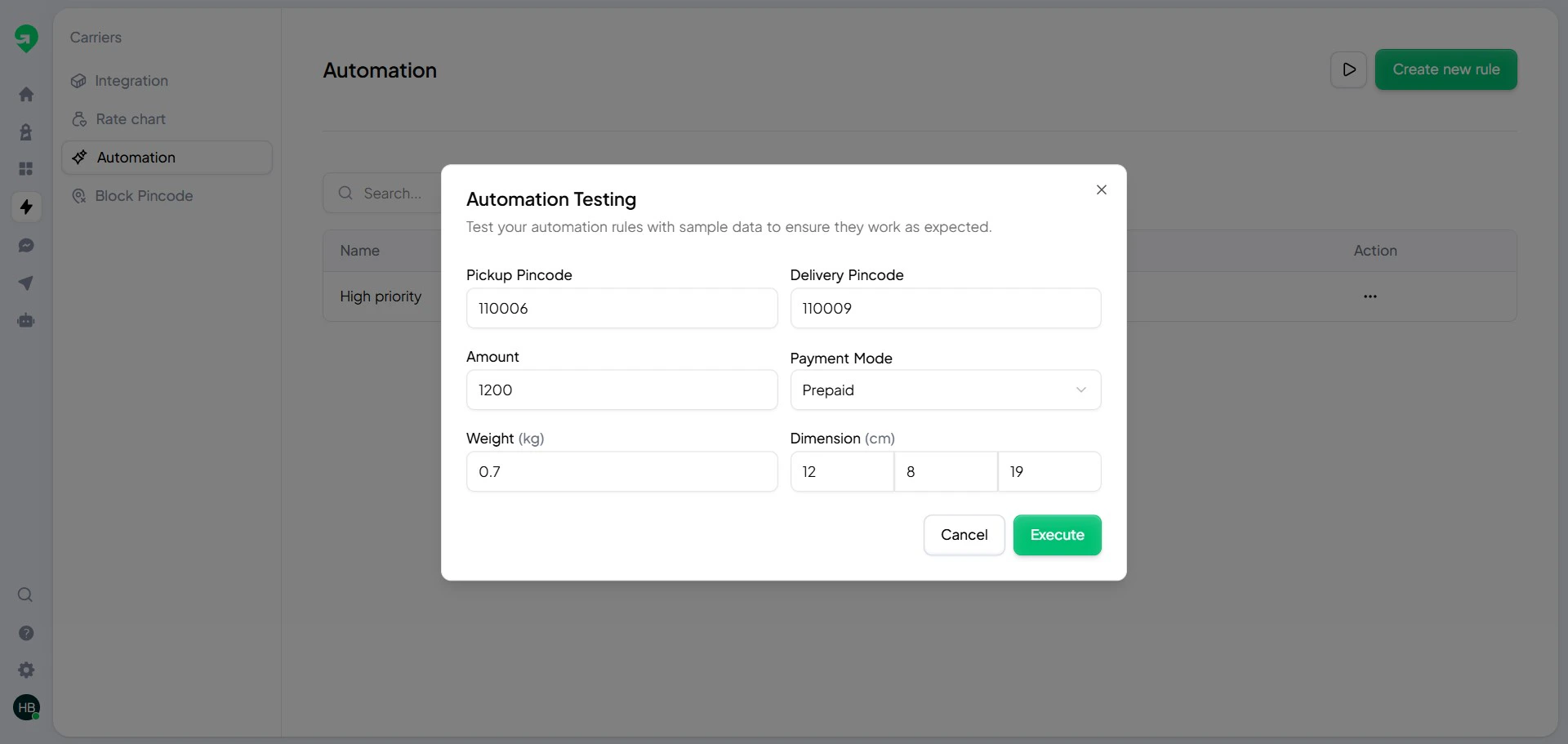
- Run test automation before publishing.
Condition builder
Conditions help you target only the orders that need intervention.
Action builder
Actions define what Gratero should do when rule criteria are met.
Test before publish
Always run a test pass using representative orders.
Do not enable overlapping automations for the same trigger without clear precedence rules.