> ## Documentation Index
> Fetch the complete documentation index at: https://docs.gratero.com/llms.txt
> Use this file to discover all available pages before exploring further.
# Automations
> Create conditional workflows for shipment and delivery events.
Automations let you run repetitive actions without manual intervention.
## Automation overview
Use automation rules for tasks like:
* Retrying failed notifications
* Assigning actions based on delivery attempts
* Triggering escalation for NDR cases
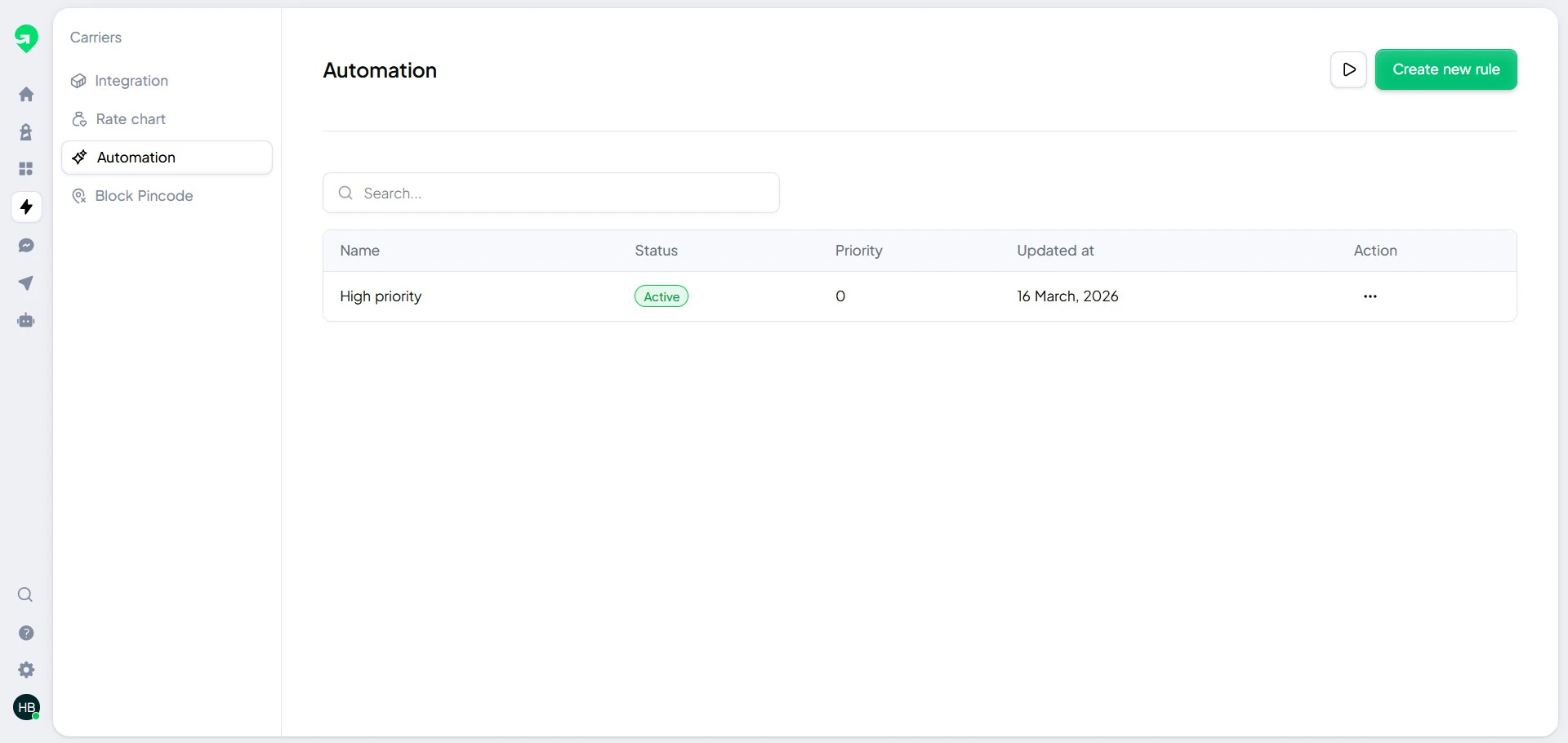 ## Build your first automation
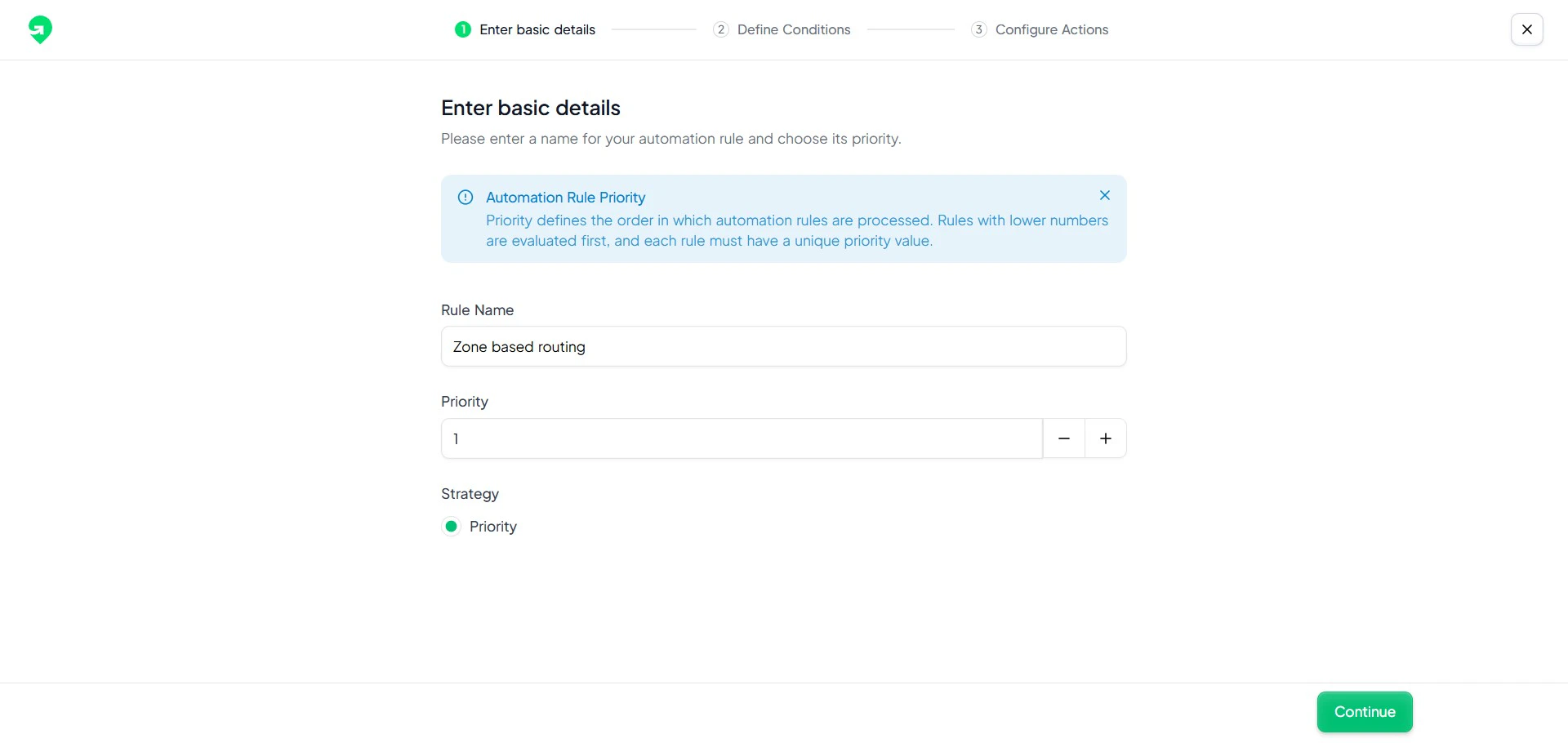 1. Define a clear goal for the rule.
2. Select an event trigger.
3. Add conditions to filter relevant orders.
4. Add one or more actions.
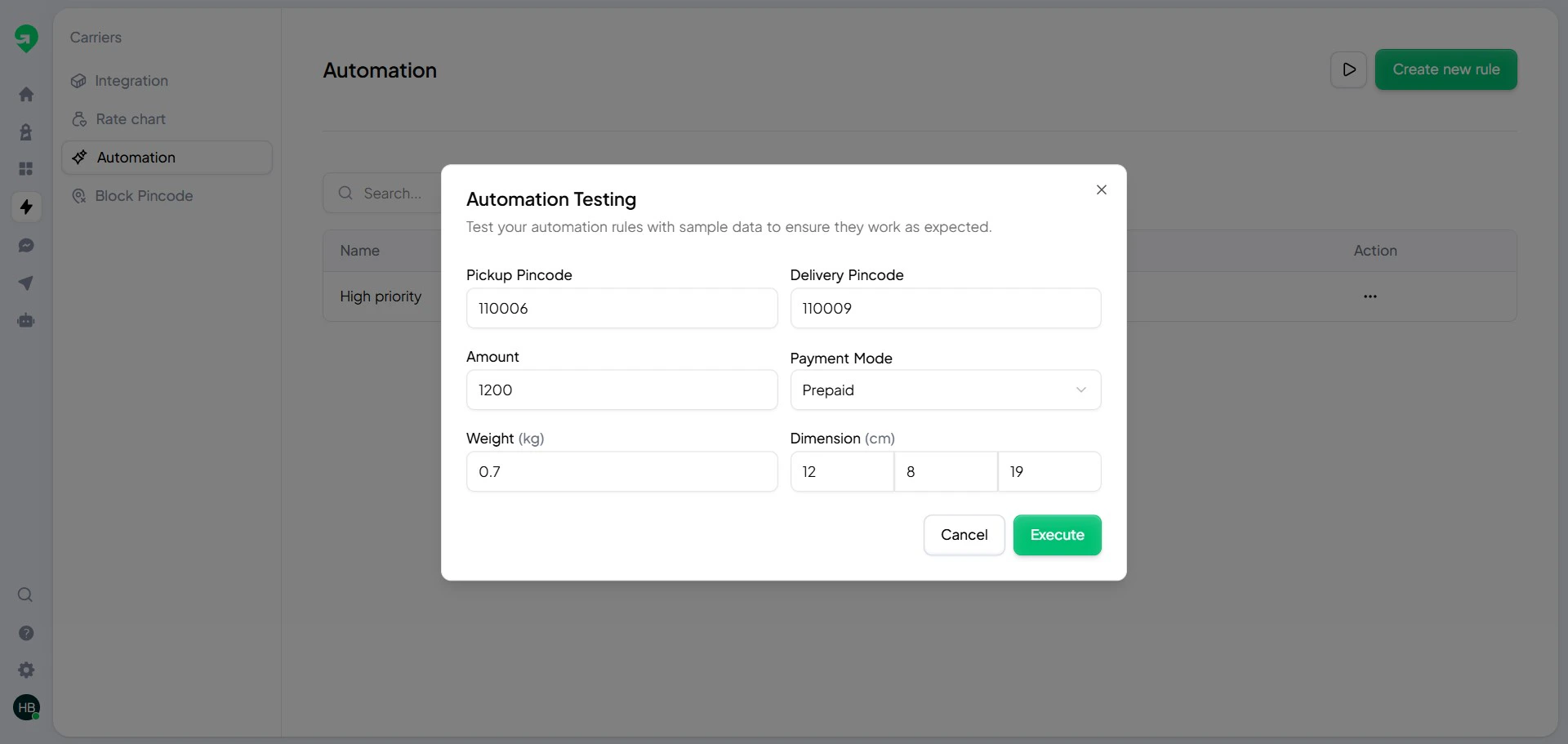
5. Run test automation before publishing.
## Condition builder
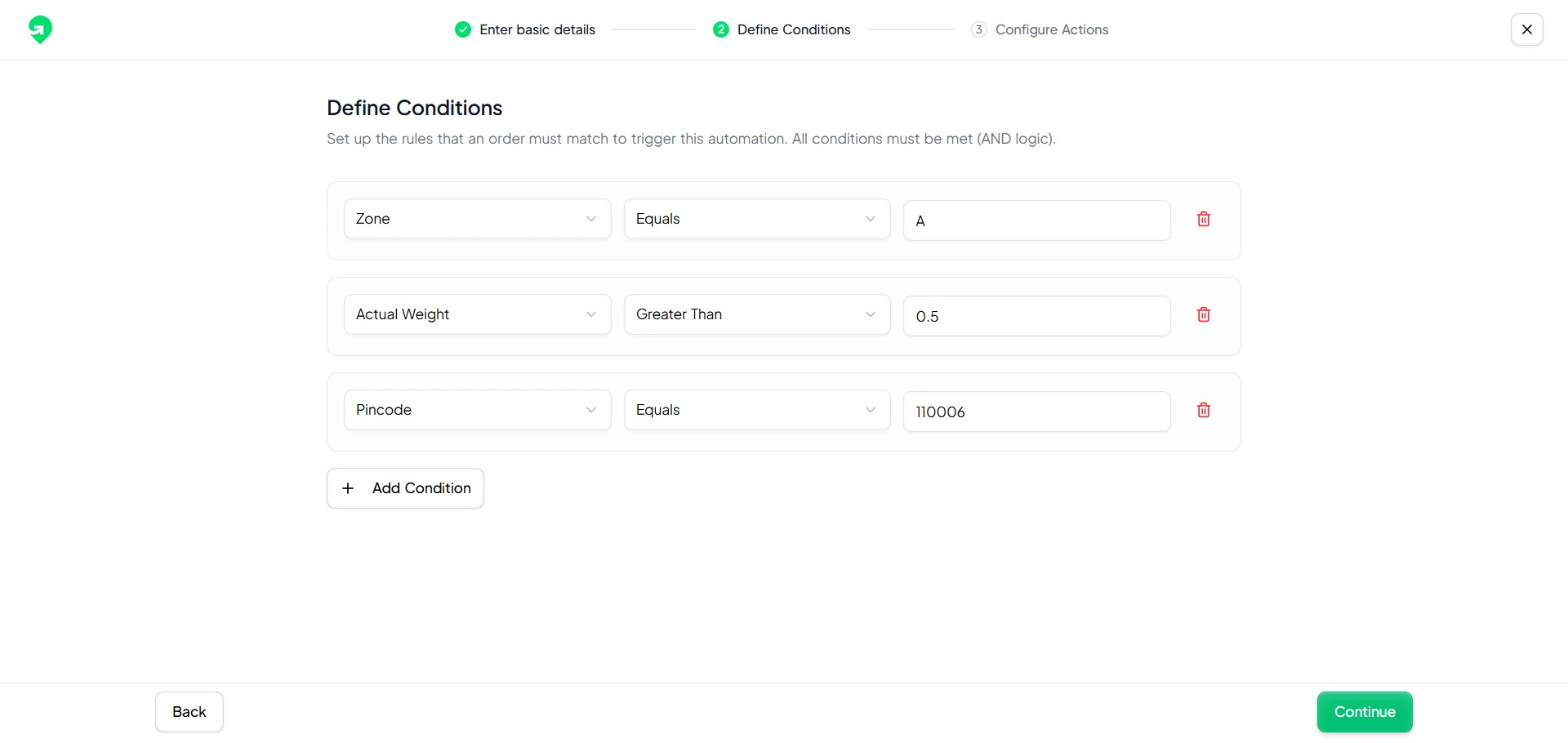
Conditions help you target only the orders that need intervention.
1. Define a clear goal for the rule.
2. Select an event trigger.
3. Add conditions to filter relevant orders.
4. Add one or more actions.
5. Run test automation before publishing.
## Condition builder
Conditions help you target only the orders that need intervention.
 ## Action builder
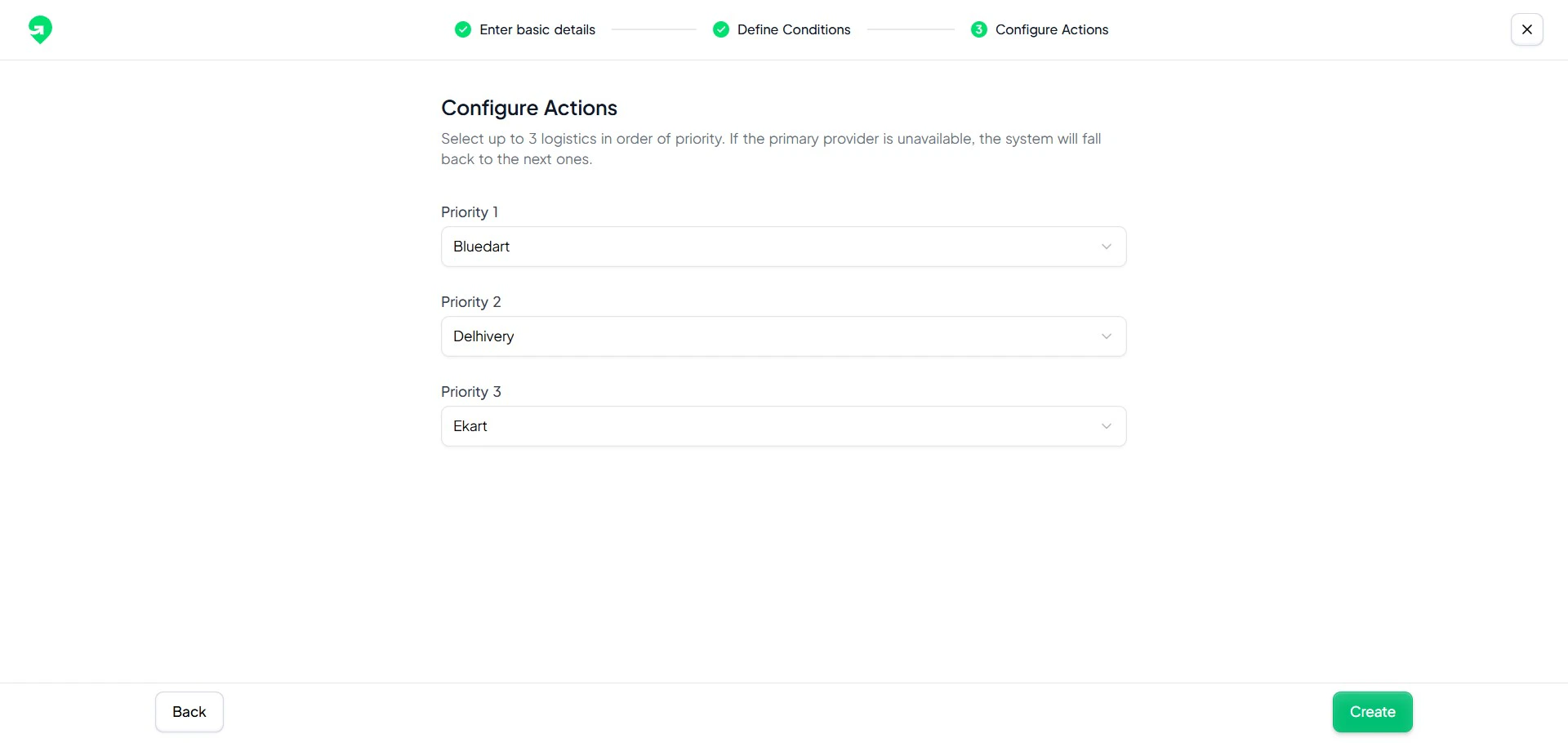
Actions define what Gratero should do when rule criteria are met.
## Action builder
Actions define what Gratero should do when rule criteria are met.
 ## Test before publish
Always run a test pass using representative orders.
## Test before publish
Always run a test pass using representative orders.
 Do not enable overlapping automations for the same trigger without clear precedence rules.